
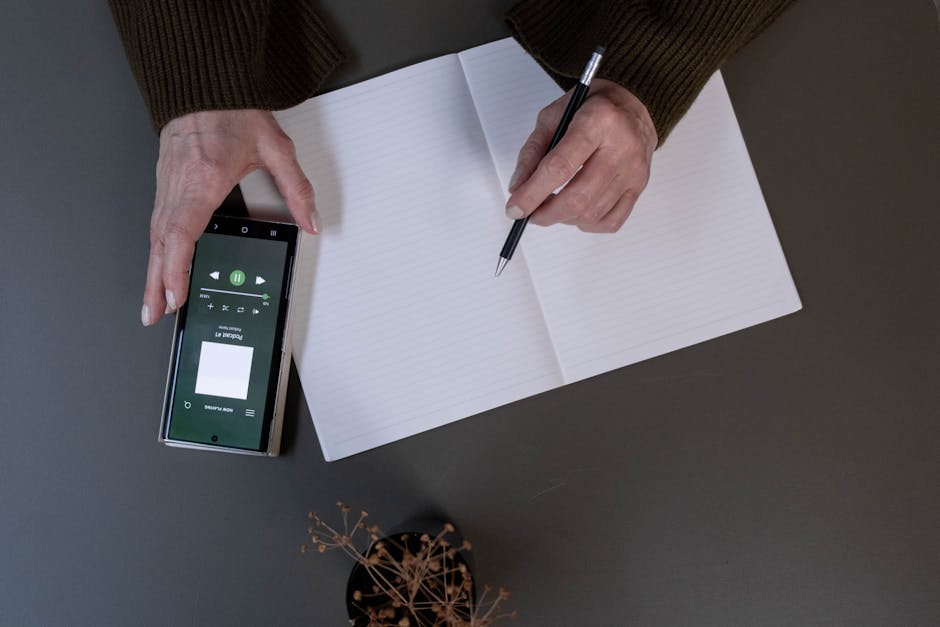
Why your “capture system” matters more than your to-do list
Most productivity advice focuses on planning: calendars, task managers, weekly reviews. But for many people—especially those juggling ideas, errands, meetings, and creative sparks—the real bottleneck is capturing information before it disappears. A “capture system” is the method you use to quickly store thoughts, instructions, observations, and reminders so you can process them later.
This comparison looks at three highly practical options—paper notebooks, digital note apps, and voice memos—through a real-world lens: speed, reliability, searchability, privacy, friction, and long-term usefulness. Rather than declaring one winner, the goal is to help you choose (or combine) an approach that fits how your brain actually works.
The three contenders: a quick overview
- Paper notebook: a dedicated notebook (or pocket pad) + pen/pencil.
- Digital notes: an app like Apple Notes, Google Keep, Notion, Obsidian, or OneNote.
- Voice memos: recordings on your phone (or smartwatch), sometimes with auto-transcription.
Comparison #1: Speed of capture in messy, real life
Paper notebook
Best when: you need to capture quickly without navigating screens or apps. Paper excels when your hands are free enough to write.
- Fast for: meeting notes, brainstorming, sketching, mapping ideas.
- Slow for: copying long strings (addresses, URLs), anything you later need to paste/share.
Tip: Use a “one-page-per-day” capture rule. Don’t hunt for the perfect section—just continue on the next blank space and add a quick label at the top (e.g., “Client call,” “Gift idea,” “Home fixes”).
Digital notes
Best when: you’re already on your device and want speed plus future re-use (copy/paste, sharing, linking).
- Fast for: saving links, copying messages, checklists, searchable quick notes.
- Slow for: situations where unlocking your phone feels like friction or distraction.
Tip: Put your note app on your home screen and enable a lock-screen widget/shortcut if available. Your capture system fails when it takes more than two steps.
Voice memos
Best when: your hands are occupied (driving, cooking, walking, carrying bags) or your thoughts are faster than typing.
- Fast for: raw idea dumps, emotional reflections, improv-style brainstorming, quick reminders.
- Slow for: later retrieval if you don’t title or transcribe.
Tip: Start every memo with a “headline sentence” you can search/remember: “Shopping list: coffee, oats, batteries,” or “Blog angle: compare capture systems for creatives.” Then continue.
Comparison #2: Retrieval—can you find it again in 30 seconds?
Paper notebook
Reality: paper is only searchable if you build a simple indexing habit.
- Pros: context-rich (doodles, arrows, emphasis); easier to scan visually.
- Cons: without an index, notes become a “time capsule” you rarely open.
Actionable indexing method (2 minutes/week): Number pages. Keep the first two pages as an index. Once a week, add 5–10 key entries with page numbers (e.g., “Tax docs—p. 34,” “Project X decisions—p. 41”).
Digital notes
Reality: search is the killer feature. Even imperfect tagging beats manual scanning.
- Pros: instant search; easy cross-linking; attach files/photos.
- Cons: fragmentation across apps; too many folders/tags becomes its own clutter.
Rule of thumb: Use one default inbox note (or folder) called “Inbox” and one search-friendly convention: prefix with “@” for context (e.g., “@Home,” “@Work,” “@Errands”). This makes later retrieval much faster.
Voice memos
Reality: voice is great for capture and terrible for search—unless you add structure.
- Pros: the nuance of tone; rapid idea capture; accessible while moving.
- Cons: scrubbing audio takes time; titles matter a lot.
Practical fix: Rename memos immediately using a date + topic format: “2026-05-25 — Kitchen measurements” or “2026-05-25 — Episode idea: rhythm habits.” If your phone supports transcription, export key lines into your digital notes once a day.
Comparison #3: Distraction and focus cost
Paper notebook
Strength: almost zero distraction. No notifications, no rabbit holes. Many people also find handwriting improves concentration and recall.
Trade-off: you’ll still need a “processing moment” to turn scribbles into tasks or decisions.
Digital notes
Strength: you can turn notes into action quickly (share, set reminders, link to documents).
Trade-off: opening your phone can accidentally invite scrolling. A simple mitigation is enabling Focus/Do Not Disturb when capturing during work blocks, or using a minimal “notes-only” home screen page.
Voice memos
Strength: low visual distraction; ideal for walks where movement improves ideation for many people.
Trade-off: if you never review them, you create an “audio attic.” To avoid that, set a recurring 10-minute review block (e.g., every evening) to convert the best ideas into text.
Comparison #4: Privacy, security, and permanence
Paper notebook
- Pros: offline by default; no account required.
- Cons: can be lost, stolen, or read by anyone who finds it.
Tip: If you capture sensitive info (health notes, relationship reflections), consider using a simple code for names or storing the notebook at home rather than carrying it everywhere.
Digital notes
- Pros: device encryption, passcodes, and secure folders (depending on platform); backups.
- Cons: account breaches, cloud sync risks, and changing terms of service.
Tip: Use app-level locks for your private notebook. Also, export a quarterly backup (PDF/Markdown) of essential notes.
Voice memos
- Pros: quick capture of sensitive thoughts without typing in public.
- Cons: recordings may sync; accidental playback is awkward; transcription features vary.
Tip: Treat voice memos like email drafts: private by default, but not invincible. Delete what you don’t need after processing.
Comparison #5: Best use cases (with realistic examples)
Paper notebook: best for “thinking on the page”
- Example: During a project kickoff, you draw a quick map of stakeholders and dependencies. Later, you snap a photo and store it in your digital notes.
- Example: You’re learning a skill (music, language, cooking) and keep a practice log—dates, what worked, what didn’t. The physical record reinforces consistency.
Digital notes: best for “living documents”
- Example: A running “Home maintenance” note with sections for warranties, paint colors, filter sizes, and contractor quotes—searchable when you’re standing in the hardware store.
- Example: A shared packing checklist for a family trip; everyone adds items and updates in real time.
Voice memos: best for “capture while in motion”
- Example: You record a 90-second memo after a meeting: three decisions, one risk, and two follow-ups. Later you convert it into tasks.
- Example: You’re walking and a creative hook appears. You speak it out before it fades, including the “headline sentence” for easy recall.
A grounded note on handwriting and memory
Handwriting is often associated with better recall because it tends to force summarization rather than verbatim transcription—useful when you want understanding, not just storage. If you’re curious about the broader discussion around note-taking and learning, consider scanning reporting and expert commentary from reputable outlets like The Guardian, which frequently covers education, technology, and cognitive science topics in accessible ways.
How to choose: a simple decision framework
- If you lose ideas because you can’t capture fast enough: add voice memos (especially for commutes and walks).
- If you capture plenty but can’t find anything later: prioritize digital notes with strong search, and simplify your structure.
- If you feel distracted the moment you touch your phone: use a pocket notebook for capture, then process into digital once daily.
- If your work requires sharing and collaboration: digital notes win by default.
- If you’re doing deep creative development: paper for ideation + digital for organization is a high-performing combo.
The “hybrid system” that works for most people
In practice, many busy people do best with a hybrid setup:
- Paper for raw thinking, meeting scribbles, and distraction-free capture.
- Digital for anything you need to retrieve, reuse, or share.
- Voice for hands-busy moments and fast ideation.
Weekly maintenance (15 minutes): Review paper pages and voice memos. Move only the “keepers” into a digital note called “This Week’s Inputs.” Convert the top items into tasks or calendar blocks. Archive the rest. This prevents your system from becoming a clutter museum.
Conclusion: pick the system you’ll actually trust
The best capture system is the one you reliably use when life gets noisy. Paper notebooks shine for focus and thinking; digital notes dominate retrieval and collaboration; voice memos win when you’re in motion. If you’ve tried and failed before, the problem usually isn’t motivation—it’s friction and retrieval. Reduce steps, standardize naming, and schedule a short processing ritual. Once you trust that your ideas won’t vanish, you’ll think more freely—and act more consistently.
Leave a Reply